Matplotlibのサーフェスプロット
公開日 2023-08-16
この記事では、Matplotlibでサーフェスプロットを出力する方法を解説します。サーフェスプロットでは、複数のデータ点に囲まれた面を描画します。
サーフェスプロットの基本
plt.subplots()のsubplot_kwオプションに{'projection': '3d'}という辞書形式データを与えることで、3次元のプロットになります。サーフェスプロットとするには、さらにax.plot_surface()メソッドを使います。
ax.plot_surface()メソッドにはデータ点のx, y, z座標を与えます。以下に例を示します。
import matplotlib.pyplot as plt
import numpy as np

x = np.arange(0, 2*np.pi, 0.1)
y = np.arange(0, 4*np.pi, 0.1)
X, Y = np.meshgrid(x, y)
Z = np.sin(X) + np.sin(Y)

fig, ax = plt.subplots(figsize=(6, 6), subplot_kw={'projection': '3d'})
ax.plot_surface(X, Y, Z)
ax.set_xlabel("x")
ax.set_ylabel("y")
ax.set_zlabel("z")
plt.show()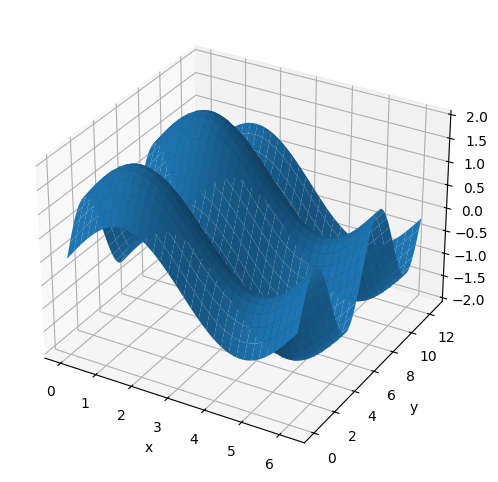
なお、変数X, Y, Zはいずれも同じ大きさの2次元配列となります。
print(X.shape)
print(Y.shape)
print(Z.shape)
(126, 63)
(126, 63)
(126, 63)
ax.plot_surface()メソッドの主なオプションを以下に示します。
| 引数 | 型 | 説明 |
|---|---|---|
| rcount, ccount | int | 行・列方向の最大サンプル数。データ点数がこれより多い場合、ダウンサンプリングされる(デフォルト値:50) |
| rstride, cstride | int | ダウンサンプリングするときに飛ばすデータ点数 |
| color | str | 面の色 |
| alpha | float | 面の透明度 |
| edgecolor | str | 枠線の色 |
| cmap | str | 面のカラーマップ |
| vmin, vmax | float | カラーマップ範囲の最小値、最大値 |
| shade | bool | シェーディング(陰影)処理の有無(デフォルト:True) |
rcountとrstrideは片方のみ指定できます。同様に、ccountとcstrideも片方のみ指定できます。
データのダウンサンプリング
rcount, rstride, ccount, cstrideで描画する頂点の数を変更できます。
rcount=10, ccount=10として、描画点数をx, y軸方向にそれぞれ10点とした例を以下に示します。デフォルト値 (50) よりもメッシュが荒くなっていることが分かります。
fig, ax = plt.subplots(figsize=(6, 6), subplot_kw={'projection': '3d'})
ax.plot_surface(X, Y, Z, rcount=10, ccount=10)
ax.set_xlabel("x")
ax.set_ylabel("y")
ax.set_zlabel("z")
plt.show()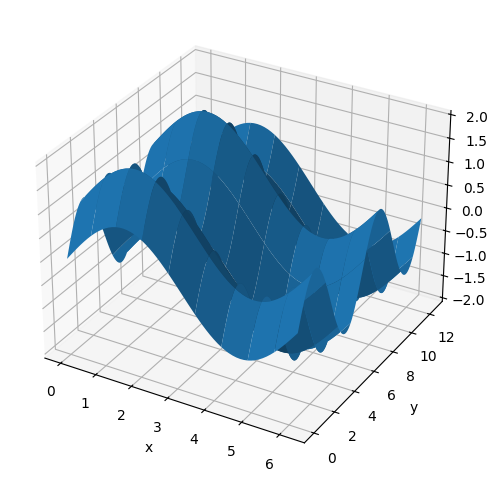
面の色
colorオプションで面の色を指定できます。
fig, ax = plt.subplots(figsize=(6, 6), subplot_kw={'projection': '3d'})
ax.plot_surface(X, Y, Z, color="green")
ax.set_xlabel("x")
ax.set_ylabel("y")
ax.set_zlabel("z")
plt.show()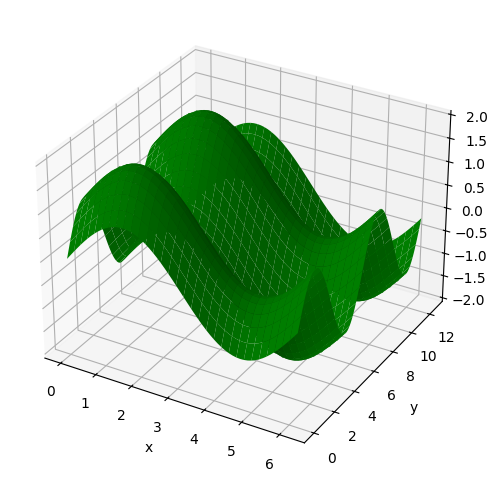
指定可能な色については以下のページを参照下さい。
面の色の透明度
面の色の透明度を指定するには、alphaオプションを使用します。0から1の範囲の値を取り、値が小さいほど透明になります(デフォルトは1)。以下にalpha=0.3とした例を示します。
fig, ax = plt.subplots(figsize=(6, 6), subplot_kw={'projection': '3d'})
ax.plot_surface(X, Y, Z, alpha=0.3)
ax.set_xlabel("x")
ax.set_ylabel("y")
ax.set_zlabel("z")
plt.show()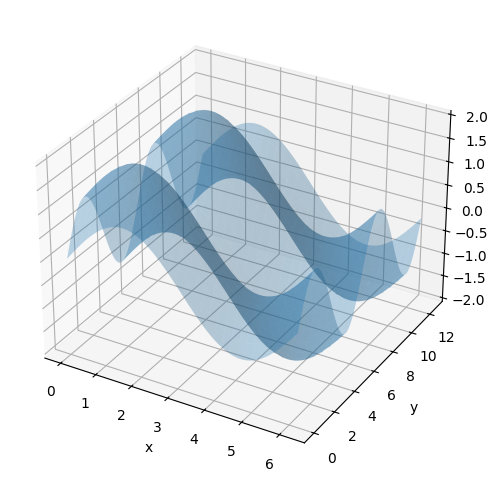
枠線の色
枠線の色をedgecolorオプションで指定できます。
fig, ax = plt.subplots(figsize=(6, 6), subplot_kw={'projection': '3d'})
ax.plot_surface(X, Y, Z, edgecolor="black")
ax.set_xlabel("x")
ax.set_ylabel("y")
ax.set_zlabel("z")
plt.show()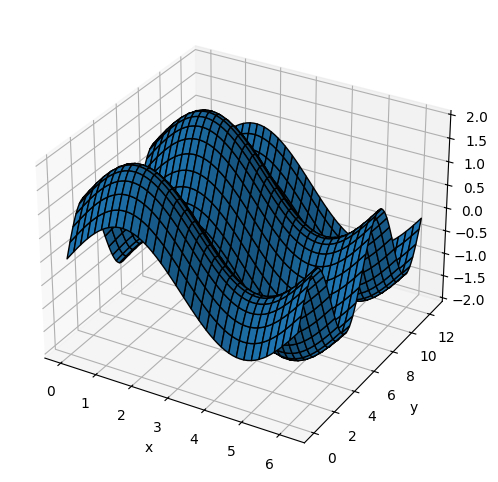
カラーマップ
cmapオプションで面のカラーマップを指定できます。z軸の値に応じて面の色が変化します。
fig, ax = plt.subplots(figsize=(6, 6), subplot_kw={'projection': '3d'})
ax.plot_surface(X, Y, Z, cmap="Blues")
ax.set_xlabel("x")
ax.set_ylabel("y")
ax.set_zlabel("z")
plt.show()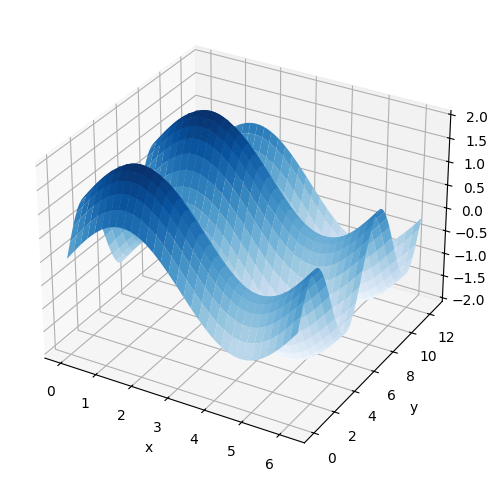
指定可能なカラーマップについては以下のページを参照下さい。
カラーバーを表示する場合、plt.colorbarを使用します。ax.pcolorの戻り値はPolyCollectionというクラスのオブジェクトです。これをplt.colorbarの最初の引数とします。また、axオプションにカラーバーを表示するグラフ(ここではax)を指定します。
fig, ax = plt.subplots(figsize=(8, 5), subplot_kw={'projection': '3d'})
mappable = ax.plot_surface(X, Y, Z, cmap="Blues")
plt.colorbar(mappable, ax=ax)
ax.set_xlabel("x")
ax.set_ylabel("y")
ax.set_zlabel("z")
fig.tight_layout()
plt.show()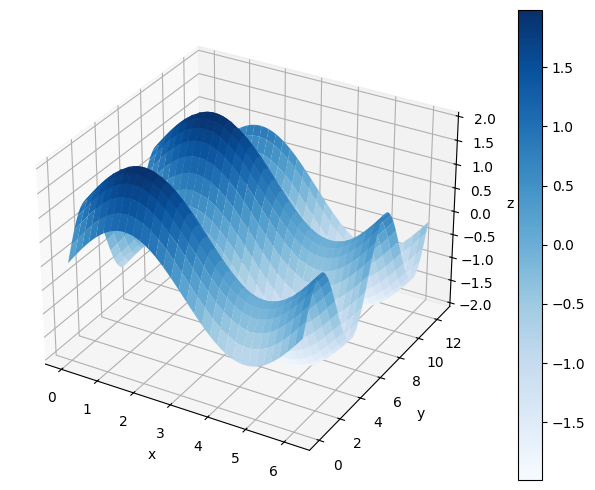
表示するカラーマップの範囲を固定したい場合、最小値と最大値をそれぞれvmin, vmaxで指定します。
カラーバーにラベルを付ける場合、plt.colorbarの戻り値を取得(以下ではcbarとしています)し、この戻り値のset_labelメソッドを使用します。
fig, ax = plt.subplots(figsize=(8, 5), subplot_kw={'projection': '3d'})
mappable = ax.plot_surface(X, Y, Z, cmap="Blues")
cbar = plt.colorbar(mappable, ax=ax)
cbar.set_label('Value')
ax.set_xlabel("x")
ax.set_ylabel("y")
ax.set_zlabel("z")
fig.tight_layout()
plt.show()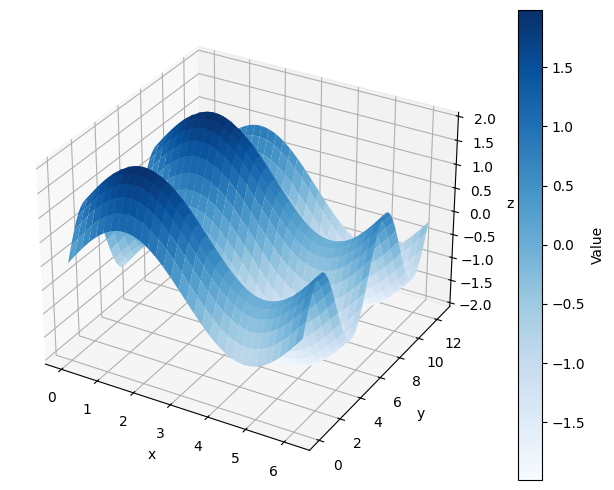
シェーディング(陰影)
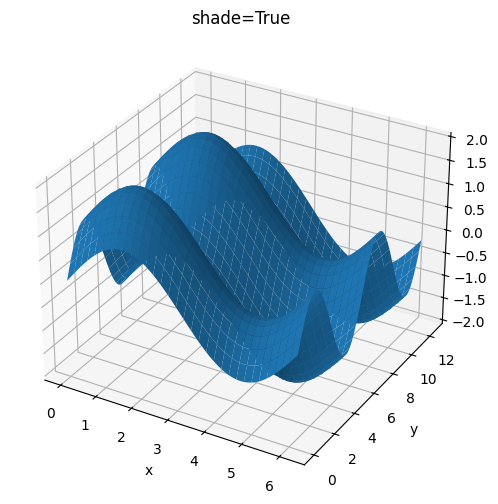
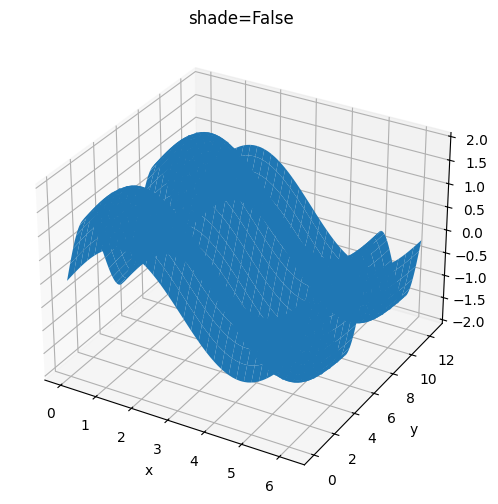
ax.plot_surface()メソッドのshadeオプションでシェーディング(陰影)処理を行うか指定できます。True(デフォルト)の場合はシェーディング処理を行います。なお、cmapオプションでカラーマップを指定した場合、shade=Falseとなります。
fig, ax = plt.subplots(figsize=(6, 6), subplot_kw={'projection': '3d'})
ax.plot_surface(X, Y, Z, shade=True)
ax.set_xlabel("x")
ax.set_ylabel("y")
ax.set_zlabel("z")
ax.set_title("shade=True")
plt.show()

fig, ax = plt.subplots(figsize=(6, 6), subplot_kw={'projection': '3d'})
ax.plot_surface(X, Y, Z, shade=False)
ax.set_xlabel("x")
ax.set_ylabel("y")
ax.set_zlabel("z")
ax.set_title("shade=False")
plt.show()